Shared expenses module
Split group expenses and settle up without the hassle
For trips, shared flats and plans with friends. Record who paid for each purchase, split the costs equally and work out how to settle debts with as few transfers as possible.
Shared expenses
Create groups and manage members
Forget calculators and endless lists on paper at the end of a trip or a dinner.
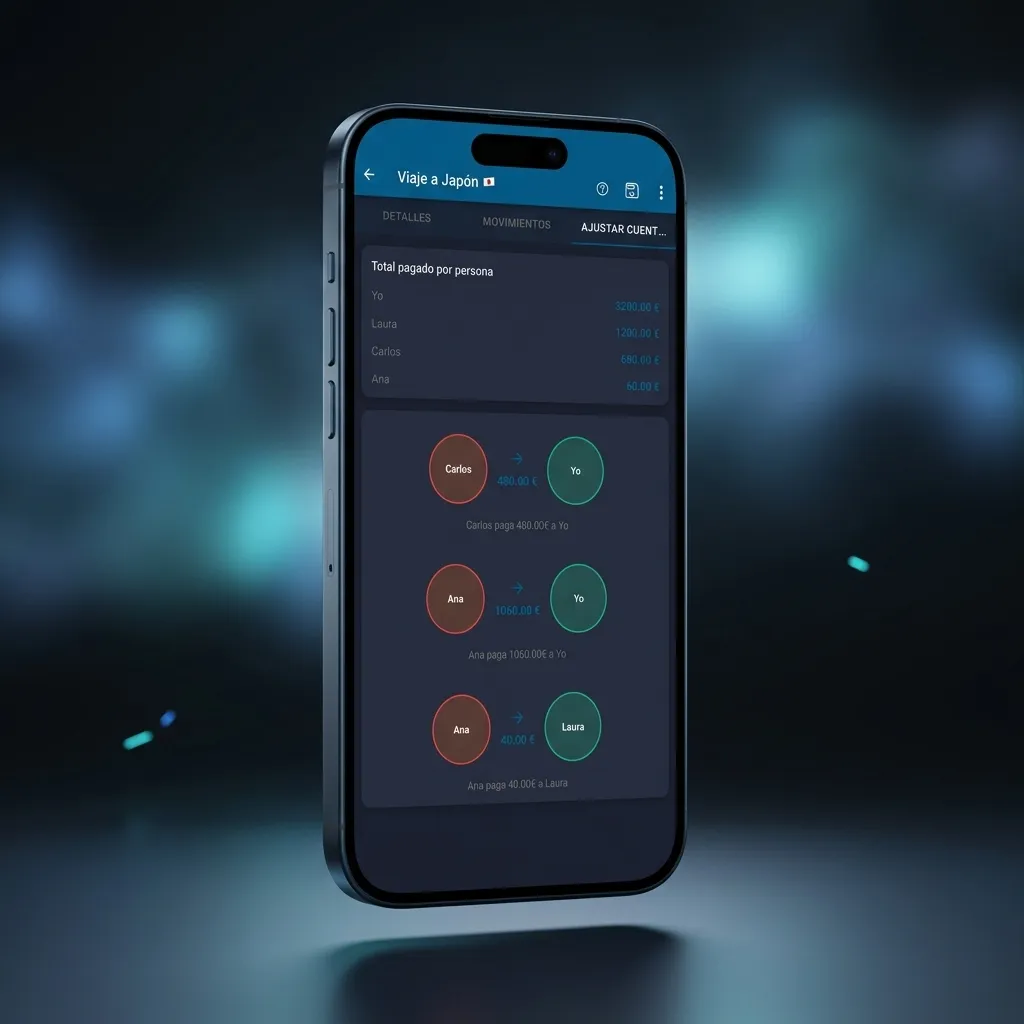
With Finanzona, you can create themed groups (e.g. "Trip to Japan 🇯🇵", "Shared flat", "Birthday dinner") and add all their members in seconds.
Each group keeps its own people, expenses and payments, with no limit on transactions, and supports CSV import and export. The app protects your data by preventing you from removing members who have transactions assigned to them.
Related guide: How to split group expenses
Benefits
Why manage your groups with our app?
It brings complete transparency and simplifies bank transfers between friends.
-
Settle up with few transfers
Automatically works out which payments are needed to clear the group's debts, with just a few direct transfers between people.
-
Equal split
Each expense is divided among everyone in the group and balances are recalculated instantly. To even out differences, record payments between two people.
-
Payments and advances
Add direct repayments between people when someone fronts money, to keep balances accurate.
-
CSV import and export
Download your group's complete summary as CSV or import earlier data using our official template.
Step by step
How do I use the shared expenses module?
Organise your group's finances in 4 simple steps.
-
Create the group and add its members
Enter the name of the trip or project and add the people who will share expenses.
-
Record purchases, receipts and advances
Add each expense with its title, who paid, the date and the amount; it is split among all the members. Record payments between people too.
-
Open the "Settle up" tab
Check the total each person has paid and the card with the optimised suggestion of net debts.
-
Settle debts and export to CSV
Make the suggested transfers to bring everyone back to zero and download the CSV backup file.
Frequently asked questions
Shared expenses FAQs
Answers to all your questions so you can manage groups without friction.
What is the Shared expenses module in Finanzona?
It's a tool designed to manage shared money on trips, in student or couples' flats or at group events. It lets you record each person's contributions and expenses and automatically works out the best way to settle up without confusion.
How does it work out who owes whom?
The app calculates each member's net balance (what they paid minus their share) and matches those who owe with those who are owed, suggesting a few direct transfers to clear all debts. For example, instead of lots of payments back and forth, the group settles up with just a few transfers.
Can I split an expense among only some people or in other proportions?
Not yet: each expense is split equally among everyone in the group. To even out differences you can record payments between two people, or create a group with only the people who share those expenses.
How do I record refunds or money paid in advance?
You can create "Payment" transactions, stating who makes the transfer and who receives it. The app automatically adjusts the group's net balance, deducting the amount advanced.
Can I import or export a complete expense group as CSV?
Yes. You can export all your group's data and transactions to a CSV file to keep it or share it with the members, or import a group (a new one is created) using the sample template.
All in one app
More from Finanzona
Ready to sort out the money for your next trip or flat?
Start managing your shared expense groups today and settle debts instantly.
Want to see it first? Try the demo without creating an account · How it works